goo-101: Hello World
Hello World in goo!
Hello World in goo!
goo?
this is a tutorial for how to use goo a C#-only UI framework
a lot of you may ask, "why though?"
the answer is simple. goo lets you build UI without leaving C#. it handles everything from layout, styling, state management, everything you would need to make UI for your sandbox game. goo also wraps a lot of behaviors in a nice bow like drag-and-drop, 2D SDF shapes, and particles that you can put to work right away.
at some point, if you want to make UI that extends past just the average boxes with text, you WILL need to write C#. goo takes advantage of that and makes writing UI in C# easy and intuitive.
think about it like this:
if markup and stylesheets did the whole job, there would be no JavaScript. goo exists to consolidate layout, behavior, and styling into one language with a simplified syntax. Basically if SwiftUI and React had a goo baby.
with all of that out of the way, let's get goo-ey shall we? make sure you have your thinking cap on and you downloaded goo from the Library Manager in the editor 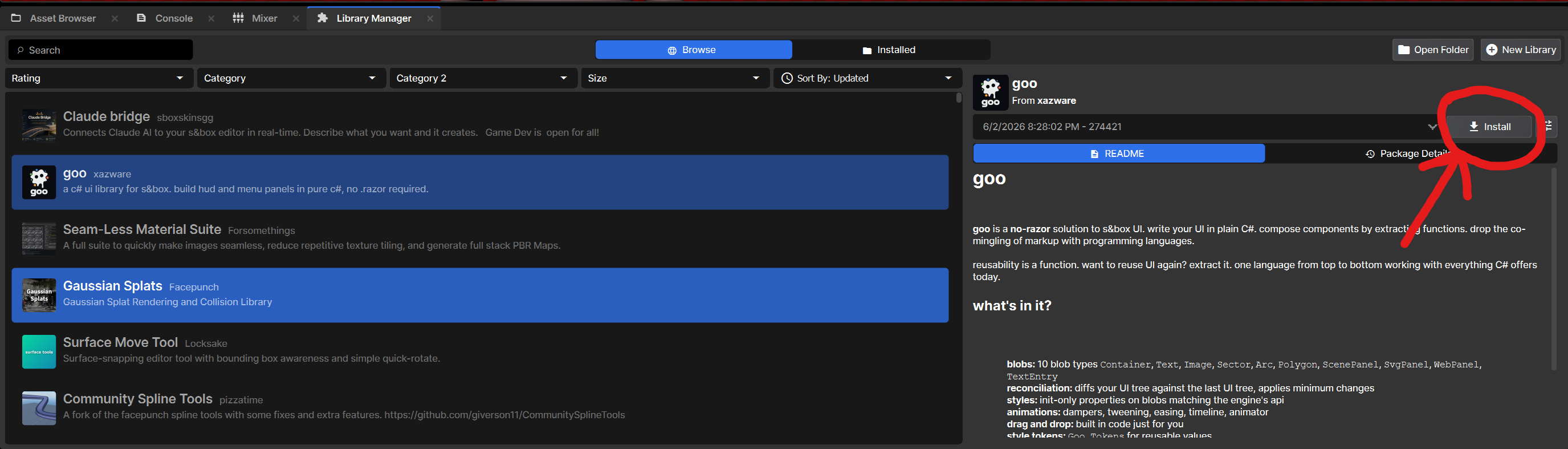
blobs
everything you want in life is a goo blob on a GooPanel.
The way we express this is denoted as GooPanel<T> where <T> is a Type.
we got all kinds of Types: Container, Text, Image, TextEntry, ScenePanel, SvgPanel, WebPanel, the list goes on and on...
we're going to employ the KISS method. Keep it simple, stupid!
hello world
the classic example to get your feet wet. first, I will show you the code and explain what the hell is going on:
using Goo;
using Sandbox.UI;
namespace Sandbox;
public class HelloWorldUI : GooPanel<Container>
{
protected override Container Build() => new Container
{
Height = 256,
Width = 256,
Padding = 24,
BackgroundColor = Color.White,
BorderRadius = 12,
Children = { new Text("Hello") },
};
}it ain't much, but it'll do. and you can probably tell what it does already.
using Goo; imports the Goo namespace (GooPanel, Container, Text, and the blob types)
using Sandbox.UI; pulls in Sandbox.UI layout types (Align, Justify, Length, panels)
namespace Sandbox; declares the namespace the class lives in
public class HelloWorldUI : GooPanel<Container> a public class (file HelloWorldUI.cs) that subclasses GooPanel<Container>
the Build method
protected override Container Build() => new Container when you make a goo panel, you subclass GooPanel<T> and override its Build() method, returning your root blob (here a Container).
the => is "expression-bodied" method syntax. shorthand for { return new Container {...}; }
inside that new Container { ... } object initializer you set its style and content properties:
WidthandHeightare both set to 256 pixelsPadding = 24puts 24 pixel padding on top/right/left/bottomColor.Whiteis our background colorBorderRadius = 12rounds the corners by 12 pixelsChildrenlisted is oneTextblob that says Hello
the initializer holds both styling and structure!
once you got all that down, adding it to your scene is easy
just create a camera game object in the hierarchy if you do not have one already
then create a Screen Panel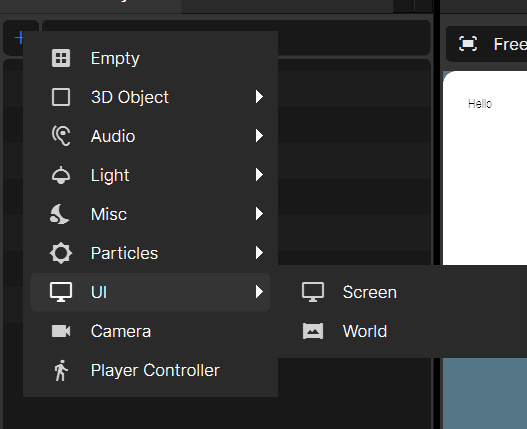
click on your Screen Panel in the hierarchy and set the Target Camera to the camera object you just created
click Add Component and in UI Panels you should see your Hello World UI. Add that shizz.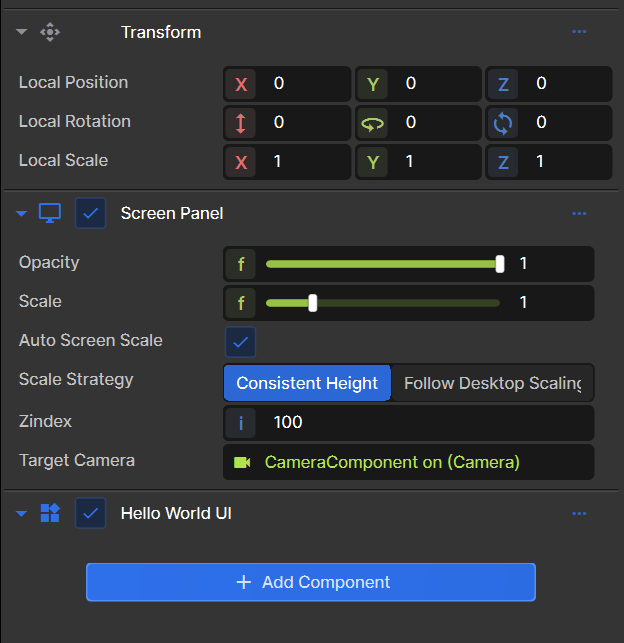
if you did all of that correctlyvoila. you are now goo-ey
want to learn more? visit the documentation or move to the next tutorial, goo-102:
goo is capable of creating a lot of fun and interesting UI. Here are some samples: