Naming Conventions
The editor can automatically assign the textures in a Material as long as they follow the naming conventions below.
Texture Naming
The editor can automatically assign the textures in a Material as long as they follow the naming conventions below.
| Texture Type | Suffix |
|---|---|
| Base Color / Albedo / Diffuse | _color |
| Normal Map | _normal |
| Roughness | _rough |
| Metallic | _metal |
| Ambient Occlusion | _ao |
| Opacity / Alpha / Transparency | _trans |
| Emissive / Self Illumination | _selfillum |
| Tint Mask | _mask |
| Blend Mask | _blend |
| Height | _height |
For example:
sand_color.png, sand_normal.png, sand_rough.png
These suffixes are defined by the shader. Custom shaders may use different naming conventions.
Right-click a texture in the Asset Browser and select Create Material. Any textures with a matching base name (e.g. sand) will be assigned automatically.
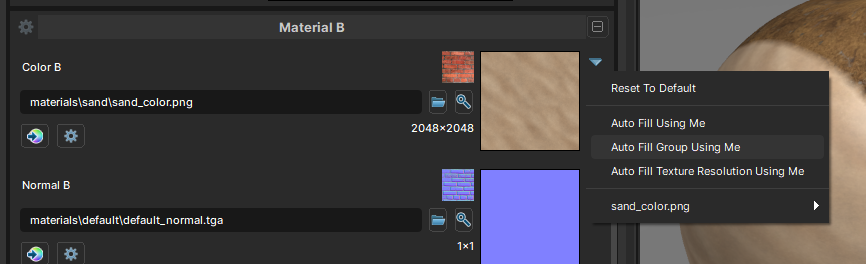
You can also use Auto Fill in the Material Editor to save some time. Assign one texture and it will populate the remaining slots automatically.